<?xml version="1.0" encoding="UTF-8"?>
<rss version="2.0"
	xmlns:content="http://purl.org/rss/1.0/modules/content/"
	xmlns:wfw="http://wellformedweb.org/CommentAPI/"
	xmlns:dc="http://purl.org/dc/elements/1.1/"
	xmlns:atom="http://www.w3.org/2005/Atom"
	xmlns:sy="http://purl.org/rss/1.0/modules/syndication/"
	xmlns:slash="http://purl.org/rss/1.0/modules/slash/"
	>

<channel>
	<title>Equals Greater Than =&#62;</title>
	<atom:link href="http://equalsgreaterthan.com.au/portal/?feed=rss2" rel="self" type="application/rss+xml" />
	<link>http://equalsgreaterthan.com.au/portal</link>
	<description>Ethernet Thermometers for the people, from Equals Greater Than.</description>
	<lastBuildDate>Wed, 04 Aug 2010 06:54:33 +0000</lastBuildDate>
	<language>en</language>
	<sy:updatePeriod>hourly</sy:updatePeriod>
	<sy:updateFrequency>1</sy:updateFrequency>
	<generator>http://wordpress.org/?v=abc</generator>
		<item>
		<title>Now available: TMEs with DIN rails, DIN mount 12v -&gt; 5v converters, Gnome 232 converter</title>
		<link>http://equalsgreaterthan.com.au/portal/?p=389</link>
		<comments>http://equalsgreaterthan.com.au/portal/?p=389#comments</comments>
		<pubDate>Tue, 03 Aug 2010 17:00:25 +0000</pubDate>
		<dc:creator>EGT</dc:creator>
				<category><![CDATA[News]]></category>

		<guid isPermaLink="false">http://equalsgreaterthan.com.au/portal/?p=389</guid>
		<description><![CDATA[We&#8217;re happy to announce the availability of several products: TMEs with DIN-mount rails (perfect for getting a TME into an industrial environment) DIN-mount power supplies converting from 12v to 5V DC The Gnome 232 Serial to Ethernet converter (enables you to connect an RS232 device via Ethernet) For pricing, or if you would like a [...]]]></description>
			<content:encoded><![CDATA[<p>We&#8217;re happy to announce the availability of several products:</p>
<ul>
<li>TMEs with DIN-mount rails (perfect for getting a TME into an industrial environment)</li>
<li>DIN-mount power supplies converting from 12v to 5V DC</li>
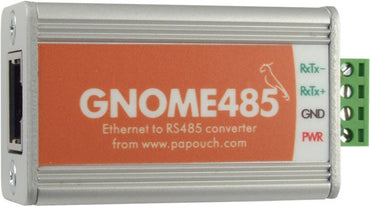
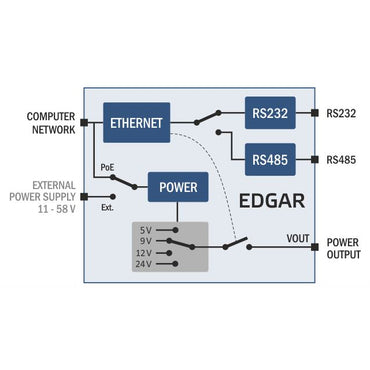
<li>The Gnome 232 Serial to Ethernet converter (enables you to connect an RS232 device via Ethernet)</li>
</ul>
<p><a title=\"Contact Us for a quote for a Purchase Order or similar.\" href="http://equalsgreaterthan.com.au/portal/wp-content/plugins/wordpress-feed-statistics/feed-statistics.php?url=Li4vP3BhZ2VfaWQ9Mg==">For pricing, or if you would like a quote to write a Purchase Order, please contact us, and we can email you a quotation straight back.</a><a href="http://equalsgreaterthan.com.au/portal/wp-content/plugins/wordpress-feed-statistics/feed-statistics.php?url=aHR0cDovL2VxdWFsc2dyZWF0ZXJ0aGFuLmNvbS5hdS9wb3J0YWwvd3AtY29udGVudC91cGxvYWRzLzIwMTAvMDgvZ25vbWUyMzIucG5n"><img class="aligncenter size-full wp-image-390" title="Gnome232" src="http://equalsgreaterthan.com.au/portal/wp-content/uploads/2010/08/gnome232.png" alt="" width="356" height="319" /></a></p>
<img src="http://equalsgreaterthan.com.au/portal/wp-content/plugins/pixelstats/trackingpixel.php?post_id=389&amp;ts=1283874322" style="display:none;" alt="pixelstats trackingpixel"/> <img src="http://equalsgreaterthan.com.au/portal/wp-content/plugins/wordpress-feed-statistics/feed-statistics.php?view=1&post_id=389" width="1" height="1" style="display: none;" />]]></content:encoded>
			<wfw:commentRss>http://equalsgreaterthan.com.au/portal/?feed=rss2&amp;p=389</wfw:commentRss>
		<slash:comments>0</slash:comments>
		</item>
		<item>
		<title>How do I setup a TME or TH2E with the supplied PoE-Adapter?</title>
		<link>http://equalsgreaterthan.com.au/portal/?p=224</link>
		<comments>http://equalsgreaterthan.com.au/portal/?p=224#comments</comments>
		<pubDate>Sun, 28 Feb 2010 21:00:35 +0000</pubDate>
		<dc:creator>EGT</dc:creator>
				<category><![CDATA[Support]]></category>

		<guid isPermaLink="false">http://equalsgreaterthan.com.au/portal/?p=224</guid>
		<description><![CDATA[To setup the TME Ethernet Thermometer, or TH2E Intelligent Sensor with a supplied Power over Ethernet (PoE) adapter, follow these steps, depending on which model adapter you have: For the black-colour PoE adapter: Ensure the adapter is set to output at &#8217;5 Volts&#8217; (do not run the adapter at any other voltage, otherwise damage will [...]]]></description>
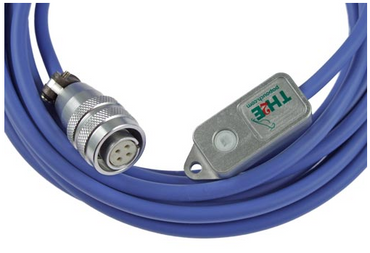
			<content:encoded><![CDATA[<p>To setup the TME Ethernet Thermometer, or TH2E Intelligent Sensor with a supplied Power over Ethernet (PoE) adapter, follow these steps, depending on which model adapter you have:</p>
<p>For the black-colour PoE adapter:</p>
<ul>
<li>Ensure the adapter is set to output at &#8217;5 Volts&#8217; (do not run the adapter at any other voltage, otherwise damage will occur to your thermometer).</li>
<li>Plug your beige (or gray) Ethernet network cable to the network port on your wall (or directly into your PoE-enabled Network switch) at one end, and the other end into the PoE adapter &#8220;Data In&#8221; port</li>
<li>Connect the custom power lead from the PoE adapter to your TME&#8217;s / TH2E&#8217;s 5v power socket</li>
<li>Take the black &#8220;Data out&#8221; lead from the PoE adapter, and plug this into your TME / TH2E device&#8217;s Ethernet socket</li>
<li>Your TME or TH2E should now be networked and powered via PoE, without using the standard power supply unit (PSU)</li>
</ul>
<p>For the silver-colour PoE adapter:</p>
<ul>
<li>Ensure the adapter is set to output at &#8217;5 Volts&#8217; (do not run the adapter at any other voltage, otherwise damage will occur to your thermometer). Plug your beige (or gray) Ethernet network cable to the network port on your wall (or directly into your PoE-enabled Network switch) at one end, and the other end into the PoE adapter &#8220;Data In&#8221; port</li>
<li>Connect the custom power lead from the PoE adapter to your TME&#8217;s / TH2E&#8217;s 5v power socket</li>
<li>Take the additional network patch lead/cable, and plug one end into the &#8220;LAN out&#8221; socket on the PoE adapter. Plug the other end of the lead into your TME / TH2E device&#8217;s Ethernet socket</li>
<li>Your TME / TH2E should now be networked and powered via PoE, without using the standard power supply unit (PSU)</li>
</ul>
<img src="http://equalsgreaterthan.com.au/portal/wp-content/plugins/pixelstats/trackingpixel.php?post_id=224&amp;ts=1283874322" style="display:none;" alt="pixelstats trackingpixel"/> <img src="http://equalsgreaterthan.com.au/portal/wp-content/plugins/wordpress-feed-statistics/feed-statistics.php?view=1&post_id=224" width="1" height="1" style="display: none;" />]]></content:encoded>
			<wfw:commentRss>http://equalsgreaterthan.com.au/portal/?feed=rss2&amp;p=224</wfw:commentRss>
		<slash:comments>0</slash:comments>
		</item>
		<item>
		<title>TME SNMP MIB files available</title>
		<link>http://equalsgreaterthan.com.au/portal/?p=359</link>
		<comments>http://equalsgreaterthan.com.au/portal/?p=359#comments</comments>
		<pubDate>Wed, 09 Dec 2009 23:00:53 +0000</pubDate>
		<dc:creator>EGT</dc:creator>
				<category><![CDATA[News]]></category>

		<guid isPermaLink="false">http://equalsgreaterthan.com.au/portal/?p=359</guid>
		<description><![CDATA[The SNMP MIB files for use with TMEs are available in our Downloads section. Here is an extract from page 41 of the TMEv1.8 manual (also available from our Downloads section): MIB table Temperature as number Name: int_temperature Object ID: 1.3.6.1.4.1.18248.1.1.1 GET address: 1.3.6.1.4.1.18248.1.1.1.0 Description: The measured temperature value in degrees Celsius as an integer [...]]]></description>
			<content:encoded><![CDATA[<p>The SNMP MIB files for use with TMEs are available in our <a title=\"Downloads Section\" href="http://equalsgreaterthan.com.au/portal/wp-content/plugins/wordpress-feed-statistics/feed-statistics.php?url=aHR0cDovL2VxdWFsc2dyZWF0ZXJ0aGFuLmNvbS5hdS9wb3J0YWwvP3BhZ2VfaWQ9ODQ=">Downloads section.</a></p>
<p>Here is an extract from page 41 of the TMEv1.8 manual (also available from our <a title=\"Downloads section\" href="http://equalsgreaterthan.com.au/portal/wp-content/plugins/wordpress-feed-statistics/feed-statistics.php?url=aHR0cDovL2VxdWFsc2dyZWF0ZXJ0aGFuLmNvbS5hdS9wb3J0YWwvP3BhZ2VfaWQ9ODQ=">Downloads section</a>):</p>
<p><strong>MIB table</strong><br />
<strong>Temperature as number</strong></p>
<ul>
<li>Name: int_temperature</li>
<li>Object ID: 1.3.6.1.4.1.18248.1.1.1</li>
<li>GET address: 1.3.6.1.4.1.18248.1.1.1.0</li>
<li>Description: The measured temperature value in degrees Celsius as an integer – the measured value multiplied by ten. (For example, 56.9 °C is expressed as 569.)</li>
</ul>
<p><strong>Temperature as string<br />
</strong></p>
<ul>
<li>Name: string_temperature</li>
<li>Object ID: 1.3.6.1.4.1.18248.1.1.2</li>
<li>GET address: 1.3.6.1.4.1.18248.1.1.2.0</li>
<li>Description: The measured value as a text string. (For example, &#8220;+22,4&#8243;.)</li>
</ul>
<p><strong>Device name</strong></p>
<ul>
<li>Name: device_name</li>
<li>Object ID: 1.3.6.1.4.1.18248.1.1.3</li>
<li>GET address: 1.3.6.1.4.1.18248.1.1.3.0</li>
<li>Description: Thermometer name set by user.</li>
</ul>
<p>For more details, please see the <a title=\"TME Manual PDF download\" href="http://equalsgreaterthan.com.au/portal/wp-content/plugins/wordpress-feed-statistics/feed-statistics.php?url=aHR0cDovL3d3dy5lcXVhbHNncmVhdGVydGhhbi5jb20uYXUvU3VwcG9ydF9maWxlcy9UTUUxOF9lbi5wZGY=">TME manual.</a></p>
<img src="http://equalsgreaterthan.com.au/portal/wp-content/plugins/pixelstats/trackingpixel.php?post_id=359&amp;ts=1283874322" style="display:none;" alt="pixelstats trackingpixel"/> <img src="http://equalsgreaterthan.com.au/portal/wp-content/plugins/wordpress-feed-statistics/feed-statistics.php?view=1&post_id=359" width="1" height="1" style="display: none;" />]]></content:encoded>
			<wfw:commentRss>http://equalsgreaterthan.com.au/portal/?feed=rss2&amp;p=359</wfw:commentRss>
		<slash:comments>0</slash:comments>
		</item>
		<item>
		<title>ThermoSpider software Quick-start guide</title>
		<link>http://equalsgreaterthan.com.au/portal/?p=294</link>
		<comments>http://equalsgreaterthan.com.au/portal/?p=294#comments</comments>
		<pubDate>Tue, 08 Dec 2009 22:00:00 +0000</pubDate>
		<dc:creator>EGT</dc:creator>
				<category><![CDATA[Support]]></category>

		<guid isPermaLink="false">http://equalsgreaterthan.com.au/portal/?p=294</guid>
		<description><![CDATA[Follow these steps to get started quickly with ThermoSpider Install ThermoSpider (instructions are included when you purchase ThermoSpider) Register ThermoSpider using your name, email address and license code (supplied after purchasing ThermoSpider) Add at least 1 Ethernet Thermometer (TME) to the probe list in the ThermoSpider preferences. (e.g. 192.168.1.254), and tick &#8220;Sample&#8221;, &#8220;Graph&#8221; and &#8220;Export&#8221; [...]]]></description>
			<content:encoded><![CDATA[<p><strong>Follow these steps to get started quickly with ThermoSpider</strong></p>
<ul>
<li><span style="font-family: Helvetica,Verdana,Arial;"><span style="font-size: 14px;">Install ThermoSpider (instructions are included when you purchase ThermoSpider)</span></span></li>
<li><span style="font-family: Helvetica,Verdana,Arial;"><span style="font-size: 14px;">Register ThermoSpider using your name, email address and license code (supplied after purchasing ThermoSpider)<br />
</span></span></li>
<li>Add at least 1 Ethernet Thermometer (TME) to the probe list in the ThermoSpider preferences. (e.g. 192.168.1.254), and tick &#8220;Sample&#8221;, &#8220;Graph&#8221; and &#8220;Export&#8221;</li>
<li><span style="font-family: Helvetica,Verdana,Arial;"><span style="font-size: 14px;">Open a Graphing Window (Window menu -&gt; Graphing Window) </span></span></li>
<li><span style="font-family: Helvetica,Verdana,Arial;"><span style="font-size: 14px;">Set “Poll Every” to 1 minute (Preferences -&gt; Monitoring). This is how often your thermometer is asked for the current temperature. </span></span></li>
<li><span style="font-family: Helvetica,Verdana,Arial;"><span style="font-size: 14px;">Set “Generate every” to 1 minute (Preferences -&gt; Graphing). This is how often the graph is exported to HTML format. </span></span></li>
<li><span style="font-family: Helvetica,Verdana,Arial;"><span style="font-size: 14px;">Set “Scale Time Period” to “Last hour” to begin with </span></span></li>
<li><span style="font-family: Helvetica,Verdana,Arial;"><span style="font-size: 14px;">Close the Preferences window by clicking the “Save” button </span></span></li>
<li><span style="font-family: Helvetica,Verdana,Arial;"><span style="font-size: 14px;">Allow ThermoSpider to accumulate data for a few minutes<br />
</span></span></li>
</ul>
<p><span style="font-family: Helvetica,Verdana,Arial;"><span style="font-size: 14px;">The graphing window will be ‘empty’, until enough data has been collected. So, by setting “Poll Every” to 1 minute, data will be accumulated sooner.</span></span></p>
<p><span style="font-family: Helvetica,Verdana,Arial;"><span style="font-size: 14px;"><br />
</span></span></p>
<p><strong>Once Setup&#8230;&#8221;View in Web Browser&#8221;</strong></p>
<p>Once a graph is showing in your Graphing window, you can go to Preferences -&gt; Graphing tab, and click the “View in Web Browser” button, to start to view your graph (as a web page) in your default web browser. When viewing the file via your web browser, the page will auto-refresh periodically, checking for an updated graph image. (If a new one has been generated, it will be displayed).</p>
<p><span style="font-family: Helvetica,Verdana,Arial;"><span style="font-size: 14px;">You can also book-mark the ThermoSpider output page in your browser, for future reference.</span></span></p>
<p><span style="font-family: Helvetica,Verdana,Arial;"><span style="font-size: 14px;"><br />
</span></span></p>
<p><span style="font-family: Helvetica,Verdana,Arial;"><span style="font-size: 14px;"><strong>Share your web page</strong><br />
</span></span></p>
<p><span style="font-family: Helvetica,Verdana,Arial;"><span style="font-size: 14px;">If you want to share that page across your network, simply enable web sharing for that particular folder/path location, on your computer. (Enabling this will depend on your computer setup, e.g. whether in Windows, Mac OS X, or Linux etc.). You can also change or customize (cut / copy / paste) the default web export URL, to suit your needs.<br />
</span></span></p>
<p>Later, you can set these polling and generating settings, back to less-frequent intervals if you like.<br />
<span style="font-family: Helvetica,Verdana,Arial;"><span style="font-size: 14px;"><br />
</span></span></p>
<p><strong>Text Export (for use in Excel etc.)<br />
</strong></p>
<p>Your TME data will also be exported (as text) if you have the &#8220;Export&#8221; box checked for your thermometer (in the Preferences -&gt; Monitoring -&gt; Export field). Check the Preferences -&gt; Monitoring tab, for the default &#8220;Output&#8221; path. (You can also change this path yourself).</p>
<p><span style="font-family: Helvetica,Verdana,Arial;"><span style="font-size: 14px;"><br />
</span></span><br />
<strong>Sample, Graph, Export<br />
</strong></p>
<p><span style="font-family: Helvetica,Verdana,Arial;"><strong><span style="font-size: 14px;"> </span></strong><span style="font-size: 14px;">In the Monitoring Preferences -&gt; Probes list,</span></span> these are the options available:</p>
<ul>
<li>&#8220;Sample&#8221; refers to whether you want to gather data for that probe</li>
<li>&#8220;Graph&#8221; refers to whether data is graphed for you</li>
<li>&#8220;Export&#8221; refers to whether your TME data is exported to text file automatically.</li>
</ul>
<p>(It is recommended to &#8220;tick&#8221; each of these values, to enable full functionality)</p>
<p><span style="font-family: Helvetica,Verdana,Arial;"><span style="font-size: 14px;"><br />
</span></span><br />
<strong>Display more than one TME</strong></p>
<p>If you have more than one TME, you can add additional TMEs, to the &#8216;Probes&#8217; list (as noted above). Once added, give Thermospider a few minutes to &#8216;talk&#8217; with the TME&#8217;s, to grab some more data. Once sufficient data has been obtained, then these additional TMEs will also be graphed, one after another (down the Thermospider window).</p>
<p>If you have opted to to the web &#8216;export&#8217; function, each additional TME will appear after another too, down the web-browser window. An example screen-shot of the Thermospider Web-export, is shown below:</p>
<p><img class="size-full wp-image-354" title="Thermospider Web Export - multiple TMEs" src="http://equalsgreaterthan.com.au/portal/wp-content/uploads/2009/12/thermospider-web.png" alt="Thermospider Web Export - multiple TMEs" width="814" height="989" /></p>
<p><!--EndFragment--></p>
<img src="http://equalsgreaterthan.com.au/portal/wp-content/plugins/pixelstats/trackingpixel.php?post_id=294&amp;ts=1283874322" style="display:none;" alt="pixelstats trackingpixel"/> <img src="http://equalsgreaterthan.com.au/portal/wp-content/plugins/wordpress-feed-statistics/feed-statistics.php?view=1&post_id=294" width="1" height="1" style="display: none;" />]]></content:encoded>
			<wfw:commentRss>http://equalsgreaterthan.com.au/portal/?feed=rss2&amp;p=294</wfw:commentRss>
		<slash:comments>0</slash:comments>
		</item>
		<item>
		<title>Data Logging Software &#8211; Special Discount offer for new release &#8220;ThermoSpider&#8221;</title>
		<link>http://equalsgreaterthan.com.au/portal/?p=284</link>
		<comments>http://equalsgreaterthan.com.au/portal/?p=284#comments</comments>
		<pubDate>Mon, 07 Dec 2009 02:00:39 +0000</pubDate>
		<dc:creator>EGT</dc:creator>
				<category><![CDATA[News]]></category>

		<guid isPermaLink="false">http://equalsgreaterthan.com.au/portal/?p=284</guid>
		<description><![CDATA[To celebrate the release of our latest version (v1.4) of our Data Logging software (called &#8220;ThermoSpider&#8221;) to suit our Ethernet Temperature Thermometers, we&#8217;re offering a AU$10 discount on the ThermoSpider Data Logging software right now. Improvements in this release: Data graphing features now including continuous temperature history graph web export (e.g. so that other users [...]]]></description>
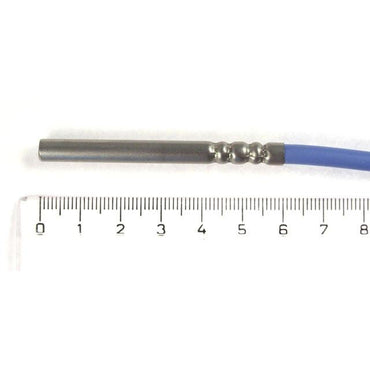
			<content:encoded><![CDATA[<p>To celebrate the release of our latest version (v1.4) of our Data Logging software (called &#8220;ThermoSpider&#8221;) to suit our Ethernet Temperature Thermometers, we&#8217;re offering a AU$10 discount on the ThermoSpider Data Logging software right now.</p>
<p>Improvements in this release:</p>
<ul>
<li>Data graphing features now including continuous temperature history graph web export (e.g. so that other users on your network can see the Thermospider Data Logging output)</li>
<li>Improved (reduced) memory usage</li>
</ul>
<p>For a limited time only, our Data Logging Software is $AU65. <a href="http://equalsgreaterthan.com.au/portal/wp-content/plugins/wordpress-feed-statistics/feed-statistics.php?url=aHR0cDovL3N0b3JlLmthZ2kuY29tL2NnaS1iaW4vc3RvcmUuY2dpP3N0b3JlSUQ9NkZFV1dfTElWRS8=">Buy now for Mac/PC/Linux direct from our online store now</a> (all upgrades to the product are free of charge, when future releases are made)</p>
<p><strong>Direct online store URL:<br />
<a href="http://equalsgreaterthan.com.au/portal/wp-content/plugins/wordpress-feed-statistics/feed-statistics.php?url=aHR0cDovL3N0b3JlLmthZ2kuY29tL2NnaS1iaW4vc3RvcmUuY2dpP3N0b3JlSUQ9NkZFV1dfTElWRSZhbXA7JmFtcDs=">http://store.kagi.com/cgi-bin/store.cgi?storeID=6FEWW_LIVE&amp;&amp;</a></strong></p>
<p><a title=\"Contact Us\" href="http://equalsgreaterthan.com.au/portal/wp-content/plugins/wordpress-feed-statistics/feed-statistics.php?url=aHR0cDovL2VndC53dWZvby5jb20vZm9ybXMvejd4NG0xLw==">Want to contact us? Want a formal quote? Simply fill out our quick &#8216;Contact Us&#8217; form (click here).</a></p>
<img src="http://equalsgreaterthan.com.au/portal/wp-content/plugins/pixelstats/trackingpixel.php?post_id=284&amp;ts=1283874322" style="display:none;" alt="pixelstats trackingpixel"/> <img src="http://equalsgreaterthan.com.au/portal/wp-content/plugins/wordpress-feed-statistics/feed-statistics.php?view=1&post_id=284" width="1" height="1" style="display: none;" />]]></content:encoded>
			<wfw:commentRss>http://equalsgreaterthan.com.au/portal/?feed=rss2&amp;p=284</wfw:commentRss>
		<slash:comments>0</slash:comments>
		</item>
		<item>
		<title>TH2E &#8211; Temperature &amp; Humidity units &#8211; SNMP / ModBus options vs Event Logging memory</title>
		<link>http://equalsgreaterthan.com.au/portal/?p=345</link>
		<comments>http://equalsgreaterthan.com.au/portal/?p=345#comments</comments>
		<pubDate>Tue, 01 Dec 2009 00:00:42 +0000</pubDate>
		<dc:creator>EGT</dc:creator>
				<category><![CDATA[News]]></category>
		<category><![CDATA[Support]]></category>

		<guid isPermaLink="false">http://equalsgreaterthan.com.au/portal/?p=345</guid>
		<description><![CDATA[On the TH2E (temperature &#38; humidity sensing units, over Ethernet) customers have a choice of two different factory options: Temperature / Humidity / Alerts / Event memory + logging OR Temperature / Humidity / Alerts / SNMP / ModBus By default, the TH2E units despatched to customers are the model with the &#8216;event memory&#8217; and [...]]]></description>
			<content:encoded><![CDATA[<p>On the TH2E (temperature &amp; humidity sensing units, over Ethernet) customers have a choice of two different factory options:</p>
<ul>
<li>Temperature / Humidity / Alerts / Event memory + logging</li>
</ul>
<p>OR</p>
<ul>
<li>Temperature / Humidity / Alerts / SNMP / ModBus</li>
</ul>
<p>By default, the TH2E units despatched to customers are the model with the &#8216;event memory&#8217; and temperature/humidity logging. But if you require SNMP (e.g. for Nagios, NetSaint etc.) or if you require ModBus functionality for a specific application in your organisation, please mention this when ordering a TH2E.</p>
<p>The TH2E manual is available for download from here: <a title=\"TH2E Manual PDF Temperature Humidity Intelligent Sensor\" href="http://equalsgreaterthan.com.au/portal/wp-content/plugins/wordpress-feed-statistics/feed-statistics.php?url=aHR0cDovL3d3dy5lcXVhbHNncmVhdGVydGhhbi5jb20uYXUvU3VwcG9ydF9maWxlcy9USDJFX2VuLnBkZg==">TH2E PDF manual download</a>.</p>
<p>SNMP is discussed in the TH2E manual from <a title=\"TH2E Manual PDF Temperature Humidity Intelligent Sensor\" href="http://equalsgreaterthan.com.au/portal/wp-content/plugins/wordpress-feed-statistics/feed-statistics.php?url=aHR0cDovL3d3dy5lcXVhbHNncmVhdGVydGhhbi5jb20uYXUvU3VwcG9ydF9maWxlcy9USDJFX2VuLnBkZg==">page 41</a> onwards.</p>
<p>ModBus is discussed in the TH2E manual on <a title=\"TH2E Manual PDF Temperature Humidity Intelligent Sensor\" href="http://equalsgreaterthan.com.au/portal/wp-content/plugins/wordpress-feed-statistics/feed-statistics.php?url=aHR0cDovL3d3dy5lcXVhbHNncmVhdGVydGhhbi5jb20uYXUvU3VwcG9ydF9maWxlcy9USDJFX2VuLnBkZg==">page 46</a>.</p>
<p>Not sure what option you need? Then simply <a title=\"Contact us for more information\" href="http://equalsgreaterthan.com.au/portal/wp-content/plugins/wordpress-feed-statistics/feed-statistics.php?url=aHR0cDovL2VxdWFsc2dyZWF0ZXJ0aGFuLmNvbS5hdS9wb3J0YWwvP3BhZ2VfaWQ9Mg==">contact us for more information.</a></p>
<img src="http://equalsgreaterthan.com.au/portal/wp-content/plugins/pixelstats/trackingpixel.php?post_id=345&amp;ts=1283874322" style="display:none;" alt="pixelstats trackingpixel"/> <img src="http://equalsgreaterthan.com.au/portal/wp-content/plugins/wordpress-feed-statistics/feed-statistics.php?view=1&post_id=345" width="1" height="1" style="display: none;" />]]></content:encoded>
			<wfw:commentRss>http://equalsgreaterthan.com.au/portal/?feed=rss2&amp;p=345</wfw:commentRss>
		<slash:comments>0</slash:comments>
		</item>
		<item>
		<title>Set up in &lt; 5 minutes. Email to SMS services, like Utbox.net</title>
		<link>http://equalsgreaterthan.com.au/portal/?p=40</link>
		<comments>http://equalsgreaterthan.com.au/portal/?p=40#comments</comments>
		<pubDate>Thu, 01 Oct 2009 21:48:54 +0000</pubDate>
		<dc:creator>EGT</dc:creator>
				<category><![CDATA[Support]]></category>

		<guid isPermaLink="false">http://equalsgreaterthan.com.au/portal/?p=40</guid>
		<description><![CDATA[It&#8217;s not often you can set up a device in less than 5 minutes. But with our Ethernet Thermometers you can. With a variety of protocols supported, you&#8217;re spoilt for choice. First chose your IP address Next configure your Email settings. For most people, that&#8217;s it! If you want, you can set your notification email [...]]]></description>
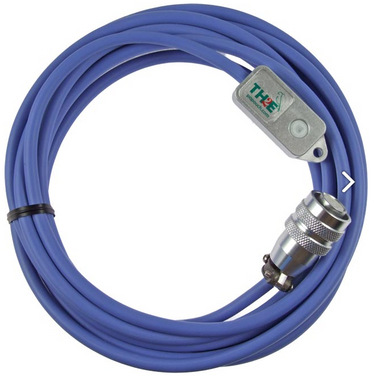
			<content:encoded><![CDATA[<p>It&#8217;s not often you can set up a device in less than 5 minutes. But with our Ethernet Thermometers you can. With a variety of protocols supported, you&#8217;re spoilt for choice.</p>
<ul>
<li>First chose your IP address</li>
<li>Next configure your Email settings.</li>
<li>For most people, that&#8217;s it!</li>
</ul>
<p>If you want, you can set your notification email address, to that of an email-to-SMS service (such as the Australian site: <a title=\"utbox.net for SMS services\" href="http://equalsgreaterthan.com.au/portal/wp-content/plugins/wordpress-feed-statistics/feed-statistics.php?url=aHR0cDovL3V0Ym94Lm5ldC8=">UTbox.net</a>), so that you can receive an SMS whenever temperatures rise.</p>
<p>Email-to-SMS services work by having an account with an SMS provider. You can then send an email to the SMS provider from a device (such as your TME Ethernet Thermometer, or TH2E Temperature Humidity sensor), and an SMS will be sent direct to the mobile telephone number that you specify.</p>
<p><strong>If you chose to use <a title=\"utbox.net for SMS services\" href="http://equalsgreaterthan.com.au/portal/wp-content/plugins/wordpress-feed-statistics/feed-statistics.php?url=aHR0cDovL3V0Ym94Lm5ldC8=">UTbox.net</a> for your SMS alerting needs, you can use our UTBOX REFERRAL CODE: Q2G6-84CP-VAFD for a $5 discount / credit on signing up to <a title=\"utbox.net for SMS services\" href="http://equalsgreaterthan.com.au/portal/wp-content/plugins/wordpress-feed-statistics/feed-statistics.php?url=aHR0cDovL3V0Ym94Lm5ldC8=">Utbox.net</a></strong></p>
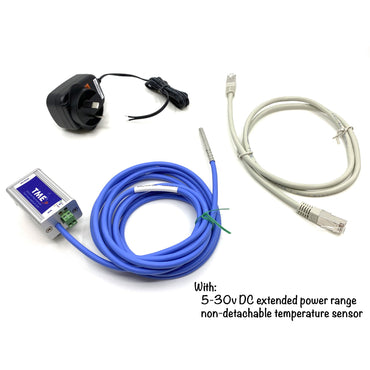
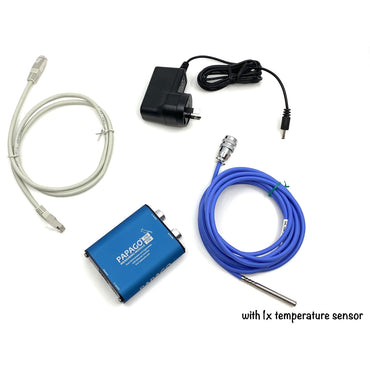
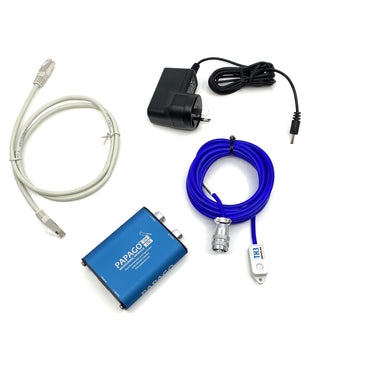
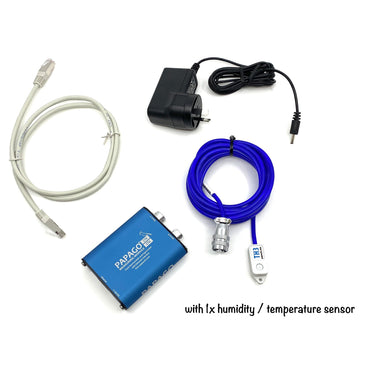
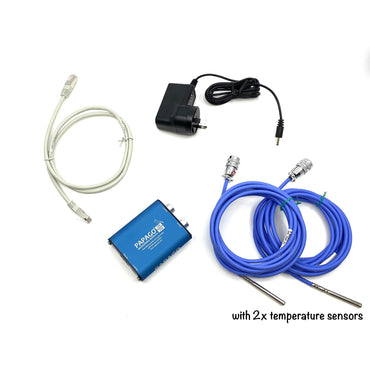
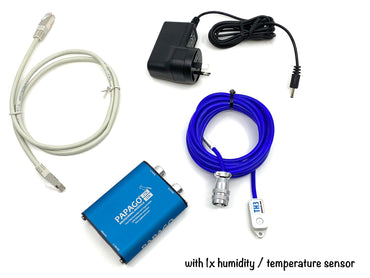
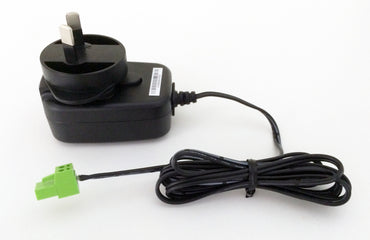
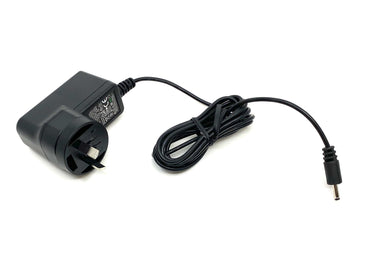
<p>All of our Ethernet Thermometers INCLUDE a regulated power supply as standard, along with Ethernet cable, temperature probe, and full instructions. Ready to use!</p>
<img src="http://equalsgreaterthan.com.au/portal/wp-content/plugins/pixelstats/trackingpixel.php?post_id=40&amp;ts=1283874322" style="display:none;" alt="pixelstats trackingpixel"/> <img src="http://equalsgreaterthan.com.au/portal/wp-content/plugins/wordpress-feed-statistics/feed-statistics.php?view=1&post_id=40" width="1" height="1" style="display: none;" />]]></content:encoded>
			<wfw:commentRss>http://equalsgreaterthan.com.au/portal/?feed=rss2&amp;p=40</wfw:commentRss>
		<slash:comments>0</slash:comments>
		</item>
		<item>
		<title>TH2E Temperature Humidity sensing Ethernet units &#8211; now available!</title>
		<link>http://equalsgreaterthan.com.au/portal/?p=329</link>
		<comments>http://equalsgreaterthan.com.au/portal/?p=329#comments</comments>
		<pubDate>Wed, 30 Sep 2009 22:03:24 +0000</pubDate>
		<dc:creator>EGT</dc:creator>
				<category><![CDATA[News]]></category>

		<guid isPermaLink="false">http://equalsgreaterthan.com.au/portal/?p=329</guid>
		<description><![CDATA[The Temperature and Humidity (+ Dew-point) TH2E models are now in stock, and ready for next-day dispatch. Perfect for monitoring server room environments, cool stores, factories, warehouses, offices etc. Complete with email alerts (inc. email to SMS capability), web-interface etc. We stock the fully-featured TH2E model from Papouch. The model has these features: Temperature sensing [...]]]></description>
			<content:encoded><![CDATA[<p>The Temperature and Humidity (+ Dew-point) TH2E models are now in stock, and ready for next-day dispatch. Perfect for monitoring server room environments, cool stores, factories, warehouses, offices etc. Complete with email alerts (inc. email to SMS capability), web-interface etc.</p>
<p>We stock the fully-featured TH2E model from Papouch. The model has these features:</p>
<ul>
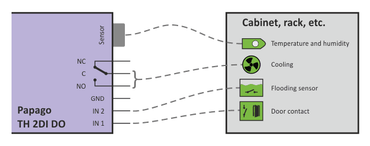
<li>Temperature sensing (Celsius or Fahrenheit)</li>
<li>Humidity sensing</li>
<li>Dew-point calculation</li>
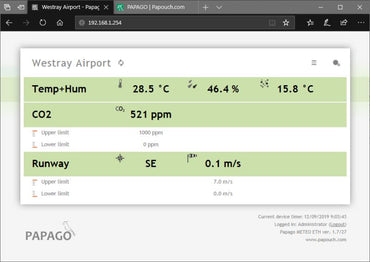
<li>Web interface (just <a title=\"Products page, including the TME Ethernet Temperature Thermometer\" href="http://equalsgreaterthan.com.au/portal/wp-content/plugins/wordpress-feed-statistics/feed-statistics.php?url=aHR0cDovL2VxdWFsc2dyZWF0ZXJ0aGFuLmNvbS5hdS9wb3J0YWwvP3BhZ2VfaWQ9Mw==">like the TME product</a>)</li>

<li>Email alerts (<a title=\"Email to SMS services such as UTBox\" href="http://equalsgreaterthan.com.au/portal/wp-content/plugins/wordpress-feed-statistics/feed-statistics.php?url=aHR0cDovL2VxdWFsc2dyZWF0ZXJ0aGFuLmNvbS5hdS9wb3J0YWwvP3A9NDA=">also capable of Email-to-SMS alerts</a>)</li>
<li>Available with 10,000 event memory (new feature!) or SNMP / ModBus functionality. <strong>(Memory feature default &#8212; if you want SNMP / ModBus functionality, please let us know at the time of ordering).</strong></li>
<li>Whole host of other communication protocols, to suit your every need!</li>
<li><a title=\"Products page, TH2E temperature, humidity, dew-point\" href="http://equalsgreaterthan.com.au/portal/wp-content/plugins/wordpress-feed-statistics/feed-statistics.php?url=aHR0cDovL2VxdWFsc2dyZWF0ZXJ0aGFuLmNvbS5hdS9wb3J0YWwvP3BhZ2VfaWQ9Mw==">See our Products page for more information</a></li>
</ul>
<p>TH2E&#8217;s are available now, from our online store:</p>
<h3><a title=\"&quot;Equals Greater Than&quot; Updated Online Store\" href="http://equalsgreaterthan.com.au/portal/wp-content/plugins/wordpress-feed-statistics/feed-statistics.php?url=aHR0cDovL3N0b3JlLmthZ2kuY29tL2NnaS1iaW4vc3RvcmUuY2dpP3N0b3JlSUQ9NkZFV1dfTElWRS8=">Online Store (Equals Greater Than)</a></h3>
<h3>
<p><div class="wp-caption aligncenter" style="width: 328px"><a title=\"Available now in our online store\" href="http://equalsgreaterthan.com.au/portal/wp-content/plugins/wordpress-feed-statistics/feed-statistics.php?url=aHR0cDovL3N0b3JlLmthZ2kuY29tL2NnaS1iaW4vc3RvcmUuY2dpP3N0b3JlSUQ9NkZFV1dfTElWRS8="><img title="TH2E Ethernet Temperature Humidity sensor" src="http://equalsgreaterthan.com.au/portal/wp-content/uploads/2009/04/th2e_v-sml.jpg" alt="TH2E Ethernet Temperature Humidity sensor" width="318" height="240" /></a><p class="wp-caption-text">TH2E Ethernet Temperature Humidity sensor</p></div></h3>
<img src="http://equalsgreaterthan.com.au/portal/wp-content/plugins/pixelstats/trackingpixel.php?post_id=329&amp;ts=1283874322" style="display:none;" alt="pixelstats trackingpixel"/> <img src="http://equalsgreaterthan.com.au/portal/wp-content/plugins/wordpress-feed-statistics/feed-statistics.php?view=1&post_id=329" width="1" height="1" style="display: none;" />]]></content:encoded>
			<wfw:commentRss>http://equalsgreaterthan.com.au/portal/?feed=rss2&amp;p=329</wfw:commentRss>
		<slash:comments>0</slash:comments>
		</item>
		<item>
		<title>Updated Downloads &#8211; TH2E product manual (Temperature Humidity Intelligent Ethernet based sensor)</title>
		<link>http://equalsgreaterthan.com.au/portal/?p=323</link>
		<comments>http://equalsgreaterthan.com.au/portal/?p=323#comments</comments>
		<pubDate>Wed, 23 Sep 2009 21:36:04 +0000</pubDate>
		<dc:creator>EGT</dc:creator>
				<category><![CDATA[News]]></category>

		<guid isPermaLink="false">http://equalsgreaterthan.com.au/portal/?p=323</guid>
		<description><![CDATA[The TH2E product manual (Ethernet-based Temperature Humidity Intelligent Sensor) is now available for download. See our Downloads page for more information.]]></description>
			<content:encoded><![CDATA[<p>The TH2E product manual (Ethernet-based Temperature Humidity Intelligent Sensor) is now available for download. See our <a title=\"Equals Greater Than Downloads\" href="http://equalsgreaterthan.com.au/portal/wp-content/plugins/wordpress-feed-statistics/feed-statistics.php?url=aHR0cDovL2VxdWFsc2dyZWF0ZXJ0aGFuLmNvbS5hdS9wb3J0YWwvP3BhZ2VfaWQ9ODQ=">Downloads</a> page for more information.</p>
<img src="http://equalsgreaterthan.com.au/portal/wp-content/plugins/pixelstats/trackingpixel.php?post_id=323&amp;ts=1283874322" style="display:none;" alt="pixelstats trackingpixel"/> <img src="http://equalsgreaterthan.com.au/portal/wp-content/plugins/wordpress-feed-statistics/feed-statistics.php?view=1&post_id=323" width="1" height="1" style="display: none;" />]]></content:encoded>
			<wfw:commentRss>http://equalsgreaterthan.com.au/portal/?feed=rss2&amp;p=323</wfw:commentRss>
		<slash:comments>0</slash:comments>
		</item>
		<item>
		<title>Updated online store now LIVE</title>
		<link>http://equalsgreaterthan.com.au/portal/?p=310</link>
		<comments>http://equalsgreaterthan.com.au/portal/?p=310#comments</comments>
		<pubDate>Thu, 17 Sep 2009 21:38:52 +0000</pubDate>
		<dc:creator>EGT</dc:creator>
				<category><![CDATA[News]]></category>

		<guid isPermaLink="false">http://equalsgreaterthan.com.au/portal/?p=310</guid>
		<description><![CDATA[Our online store has had a face-lift&#8230; Have you visited it recently? If not, check it out: Online Store (Equals Greater Than)]]></description>
			<content:encoded><![CDATA[<p>Our online store has had a face-lift&#8230; Have you visited it recently? If not, check it out:</p>
<h3><a title=\"&quot;Equals Greater Than&quot; Updated Online Store\" href="http://equalsgreaterthan.com.au/portal/wp-content/plugins/wordpress-feed-statistics/feed-statistics.php?url=aHR0cDovL3N0b3JlLmthZ2kuY29tL2NnaS1iaW4vc3RvcmUuY2dpP3N0b3JlSUQ9NkZFV1dfTElWRS8=">Online Store (Equals Greater Than)</a></h3>
<img src="http://equalsgreaterthan.com.au/portal/wp-content/plugins/pixelstats/trackingpixel.php?post_id=310&amp;ts=1283874322" style="display:none;" alt="pixelstats trackingpixel"/> <img src="http://equalsgreaterthan.com.au/portal/wp-content/plugins/wordpress-feed-statistics/feed-statistics.php?view=1&post_id=310" width="1" height="1" style="display: none;" />]]></content:encoded>
			<wfw:commentRss>http://equalsgreaterthan.com.au/portal/?feed=rss2&amp;p=310</wfw:commentRss>
		<slash:comments>0</slash:comments>
		</item>
	</channel>
</rss>